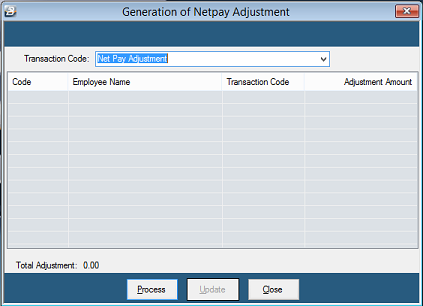
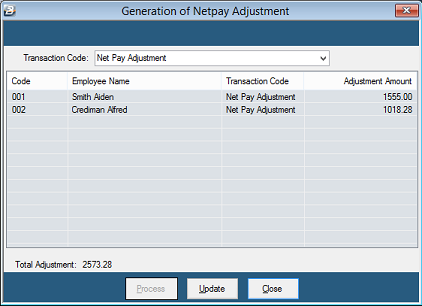
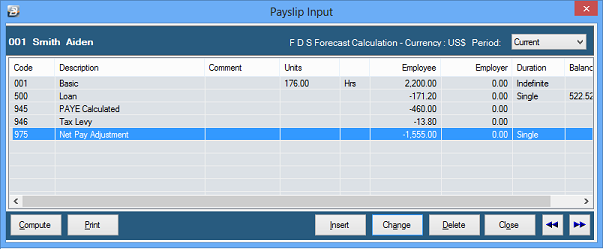
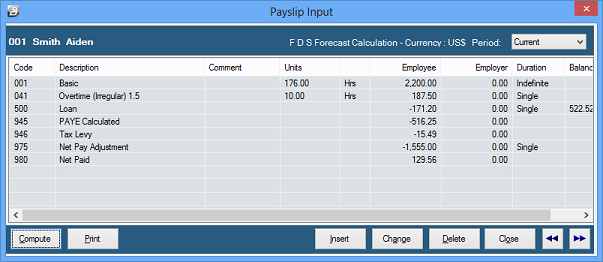
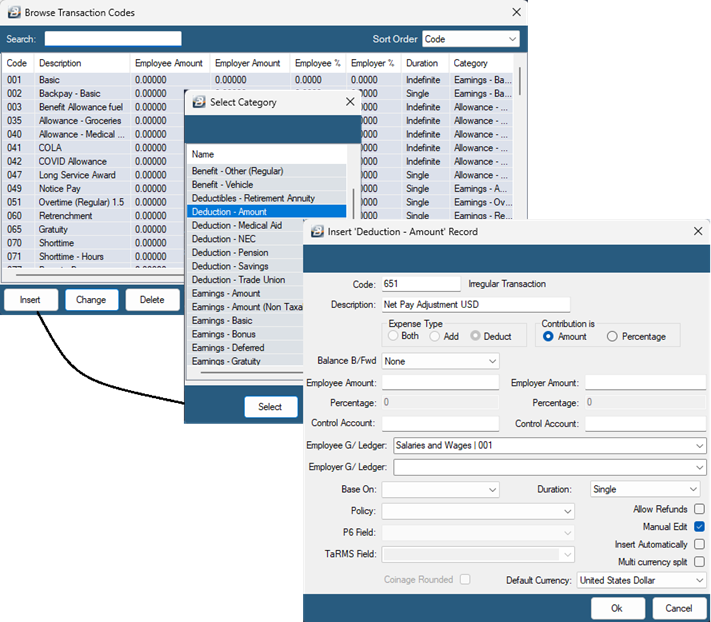
Use the Net Pay Adjustment Transaction Code to pay employee/s more than once in a period. The first payment is normally the Net Pay amount for the period, the second payment is a revised Net Pay amount taking into account an adjustment. The second payment ignores Transactions that have already been paid. The advantage of this is that the additional transaction, related tax and Net Pay amounts are included with transactions already paid giving a complete picture of all the transactions for the period. This most often happens when salaries have been paid but it is now necessary to make a further payment to employee's e.g. overtime, allowance or bonus. It could also happen if staff have been paid but now tax parameters are updated that affect the Net Paid amounts that have been paid to staff.
Method •The payroll is run as normal and staff paid •A requirement to process adjustments is necessary •Since the employees have already received their Net Pay we process a transaction, a 'Net Pay Adjustment', to bring the amount due to employees to zero •The payslip is then in balance leaving a net NIL balance to be paid •The additional earning/s, and/ or deductions are processed •The Calculation Routine is run •A new Net Paid amount is calculated which takes into account the new transactions only and the difference in PAYE that the transactions made. •The new Net Paid amounts are paid to staff. Advantage
|