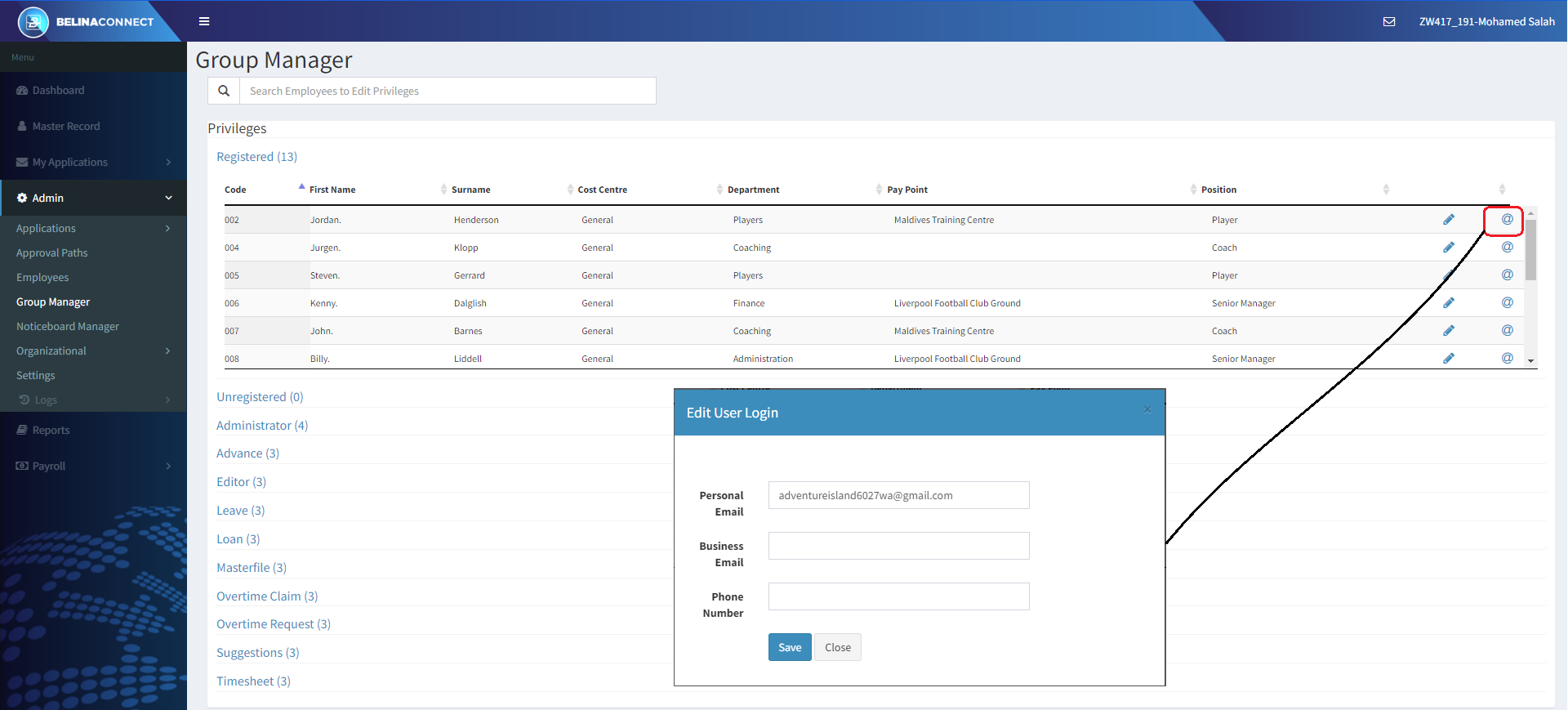
It is possible for an Administrator to edit the User login details. To do this:
•Log into Connect as an Administrator
•Go to the 'Group Manager' menu option
•Click on the '@' symbol against the employee whose Login Details are to be changed.
•Make the necessary changes, and
•'Save' the changes